What it is
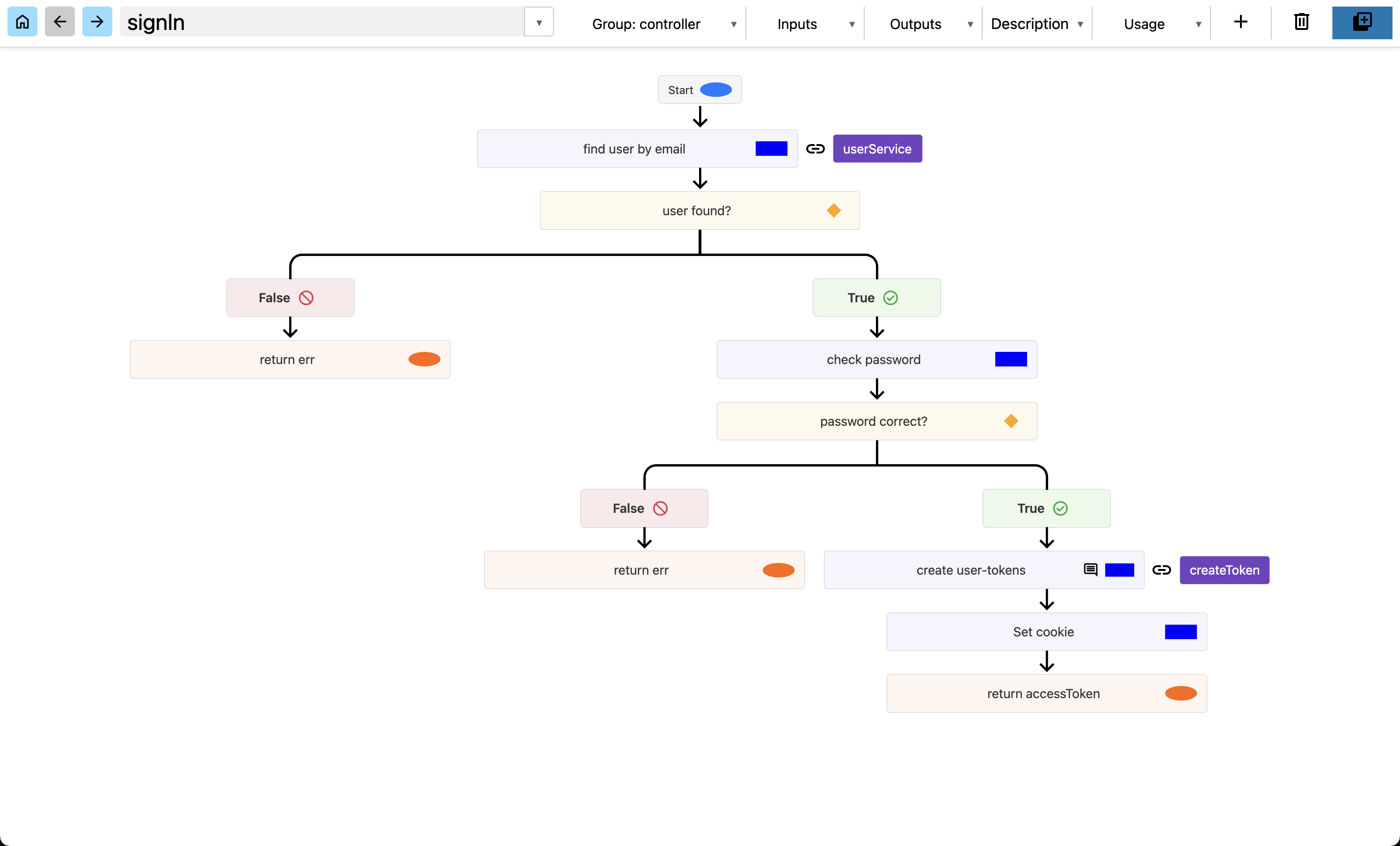
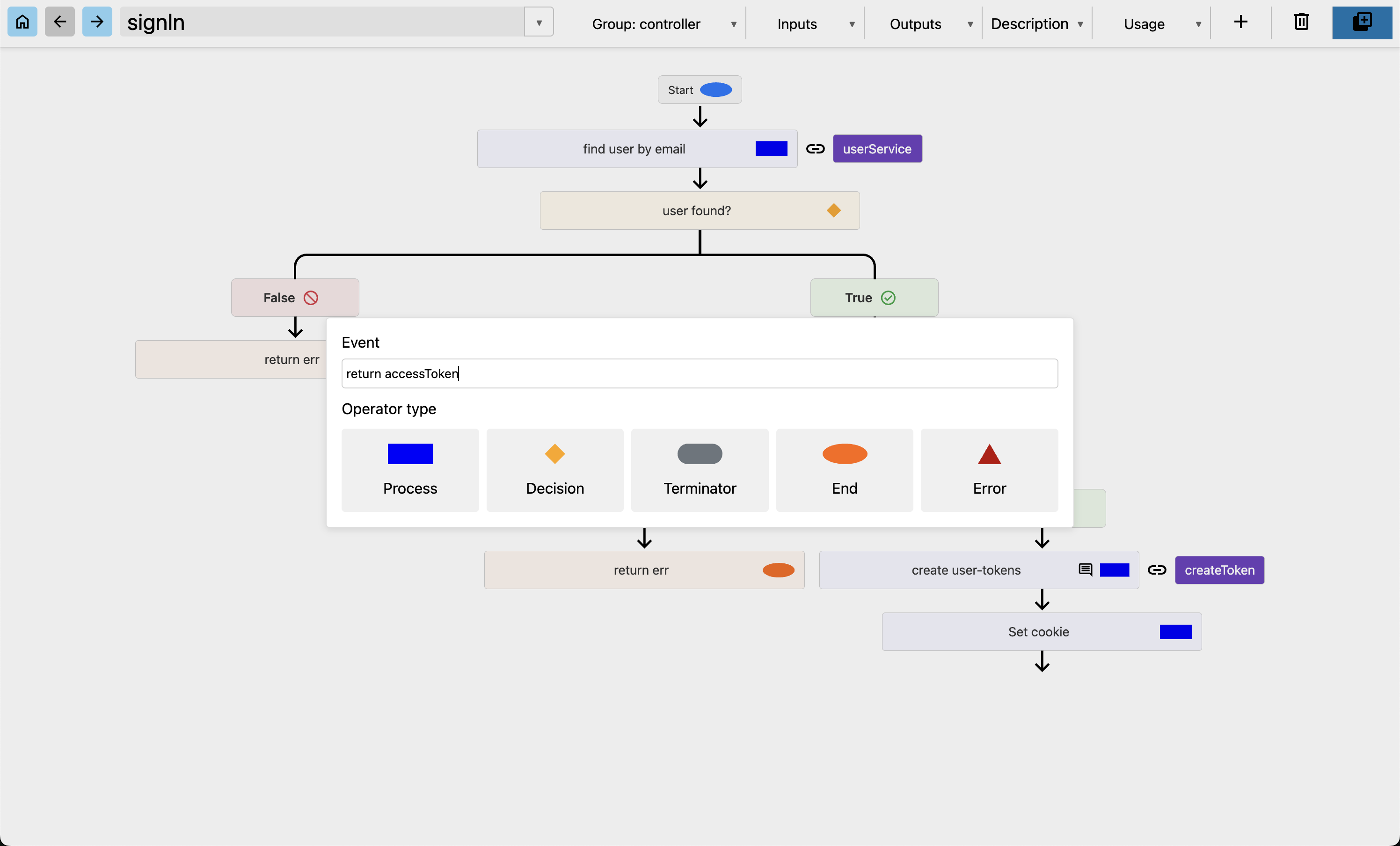
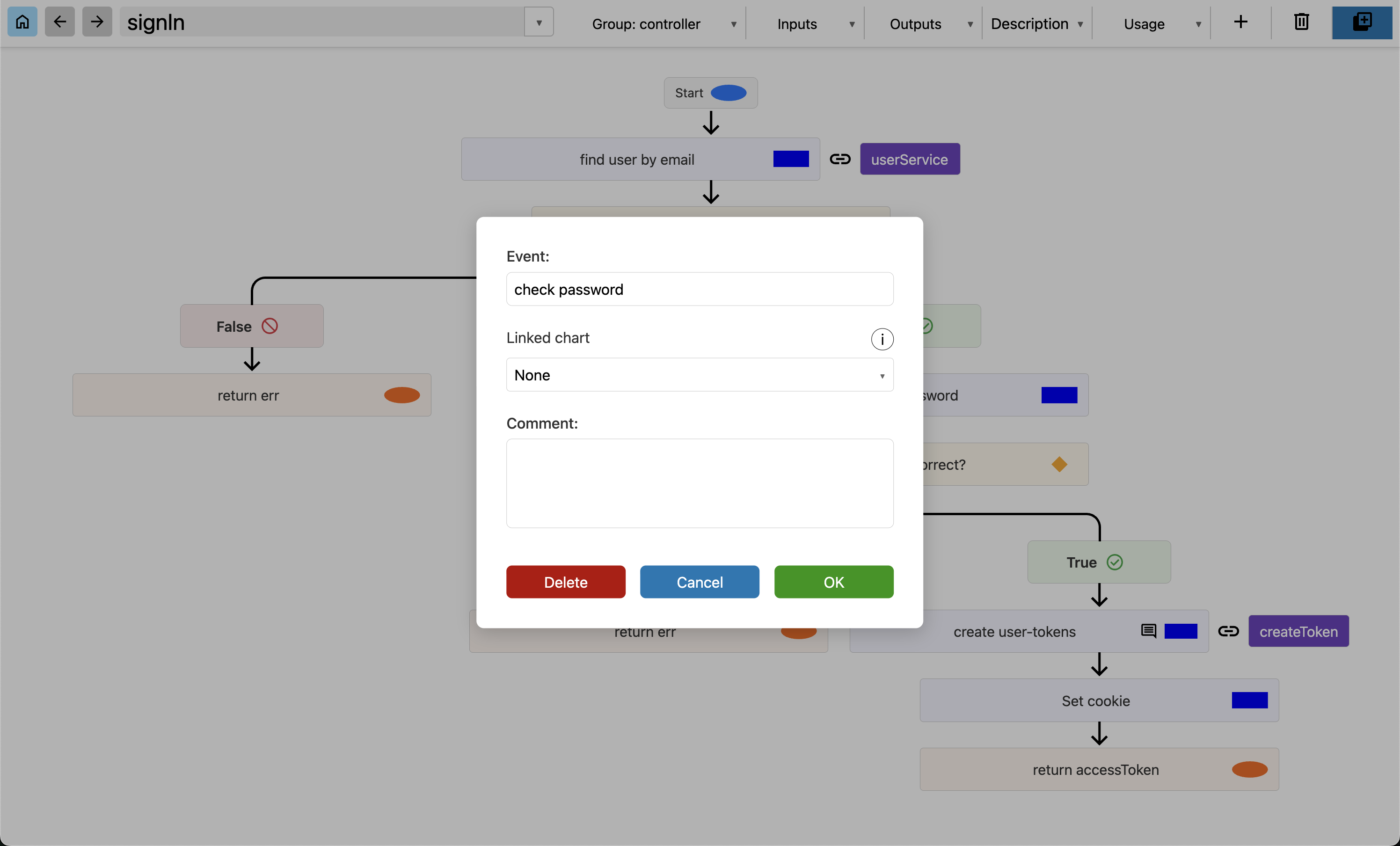
SimplChart is a desktop application that makes it easier to create flowcharts. It structures itself, has simple menus, and allows you to attach comments to each step.
What
A desktop app for creating flowcharts that structure themselves.
Focus
Planning how a whole project fits together.
Role
All roles involved.
Why this stack
Electron for a standalone desktop application, React for fast development on existing competence, and RealmDB over SQLite because projects are shared as JSON.
Shows
A two-process Electron architecture, handling data integrity when importing projects, and a first working version delivered in four days.
SimplChart is a desktop application that makes it easier to create flowcharts. It structures itself, has simple menus, and allows you to attach comments to each step.
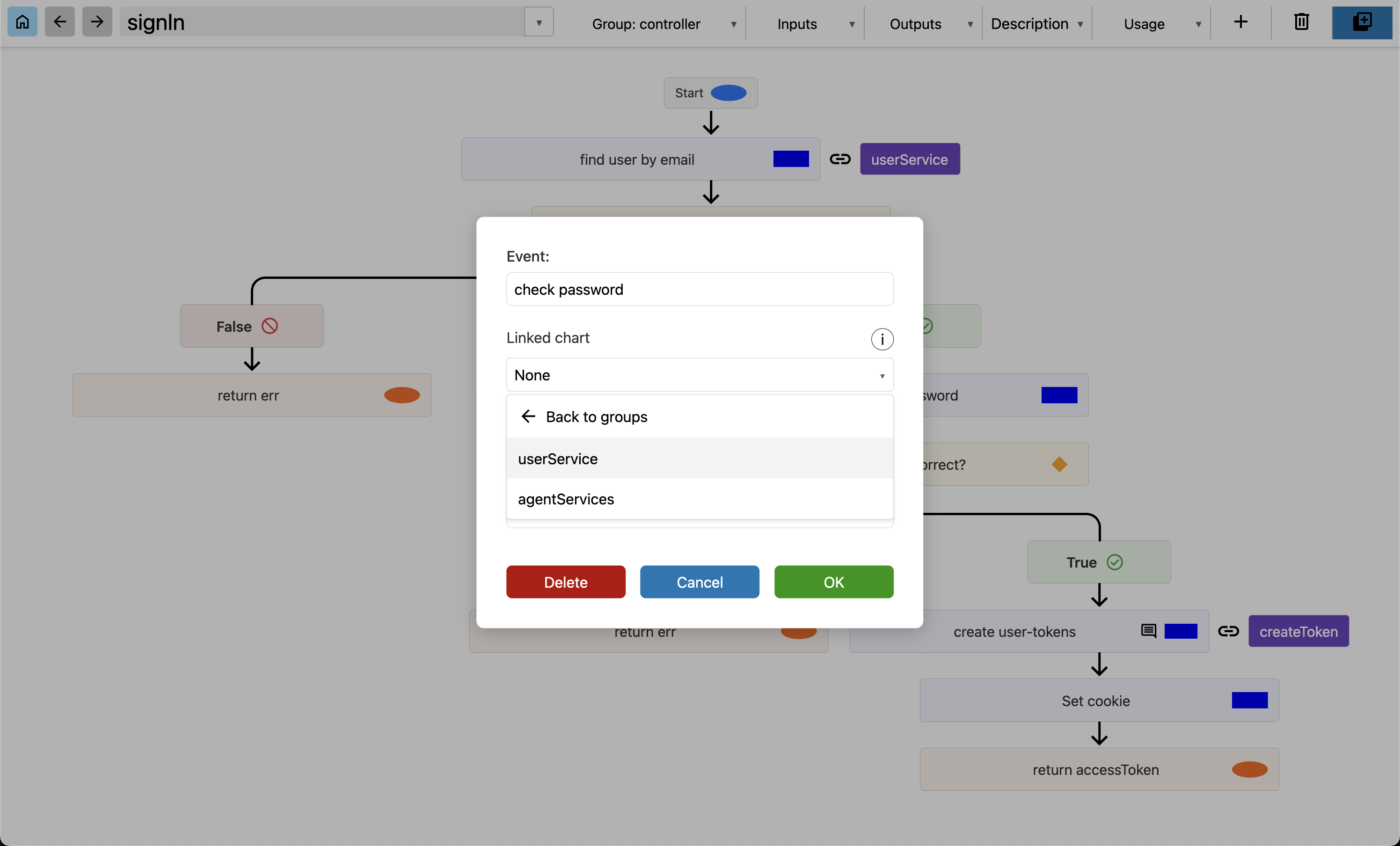
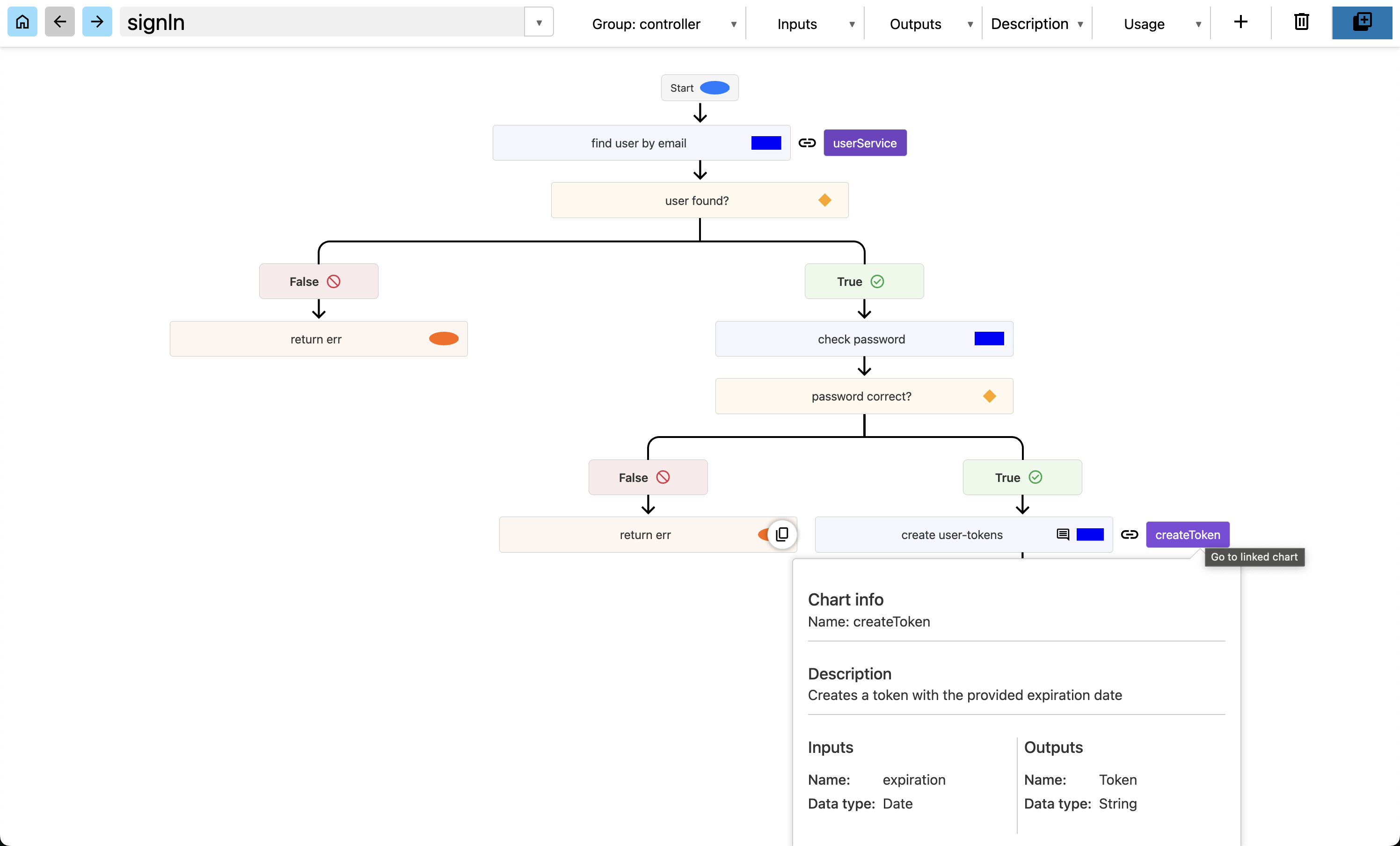
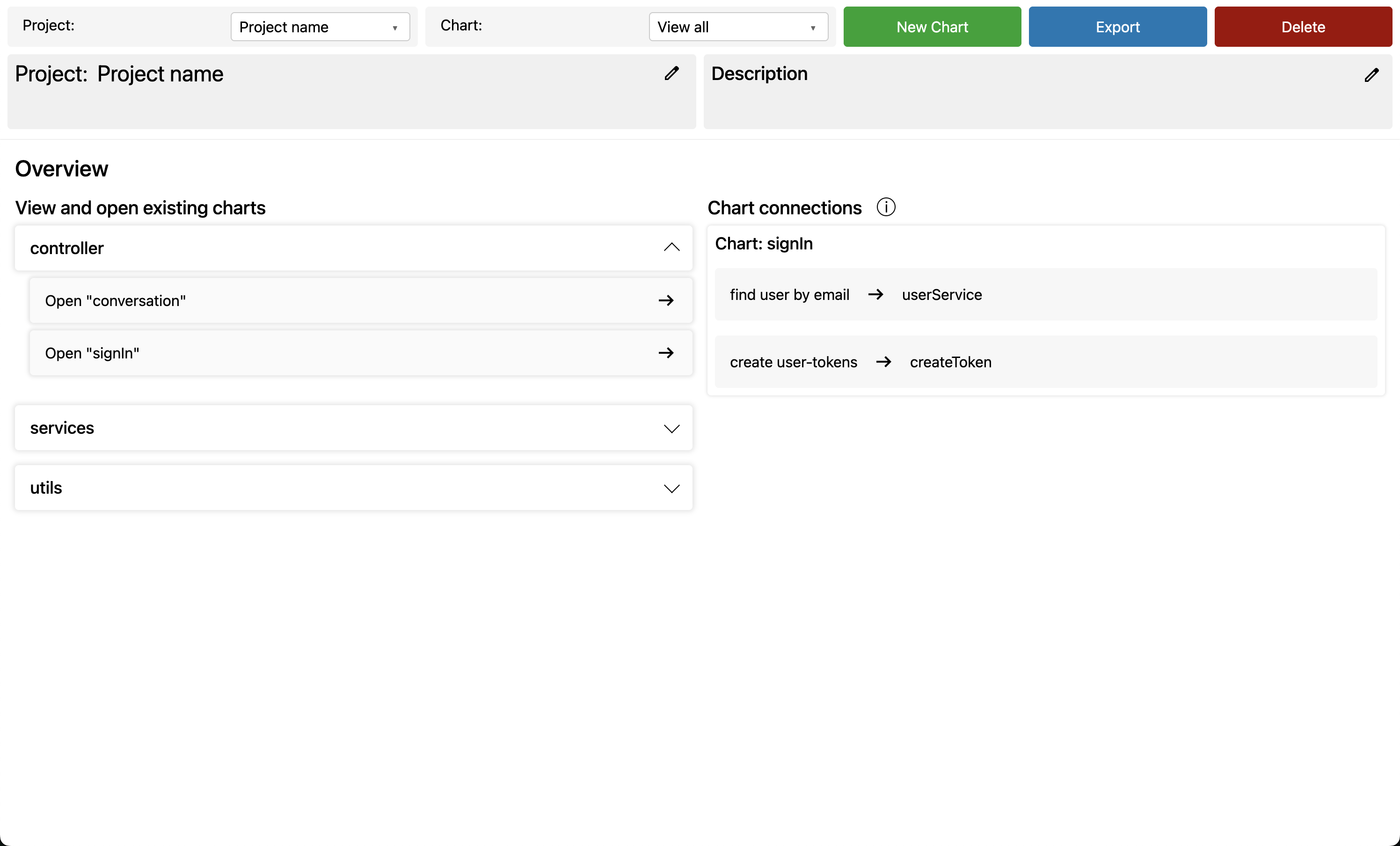
SimplChart does not only make separate flowcharts. It is built to also plan how the project as a whole should be structured. A chart can be categorized as a controller, service, or something else. By "linking", you can show that one function (chart) makes use of another function (chart), to reflect how the project as a whole fits together.
The main principle is to reduce the amount of time you spend structuring the visuals, and instead be able to spend that time planning how it should work.
If you work in a team, you can easily export and import a project as JSON.
1 / 6
The stack was chosen to fit a standalone desktop application: Electron to distribute it without extra setup, React for fast development, and RealmDB because projects are shared by exporting and importing JSON.
Javascript
The language of the whole application.
Electron
Packages the application as a standalone desktop app.
React
The UI layer.
RealmDB
Stores the projects. Only accessed from the main process.
HTML
The markup of the interface.
SCSS
The styling of the interface.
SimplChart is built on Electron, where the front end is powered by React, and RealmDB is used for storage.
The application is split into two processes, the main and render process.
RealmDB runs exclusively in the main process, and communication with databases goes through IPC channels. The render process therefore has no direct access to the database.
SimplChart uses RealmDB for data storage, where all entries require a unique ID. When importing a project, potential data integrity conflicts could occur, for example when importing a previously exported project, as the imported dataset could contain IDs that are already in use in the database.
To handle this, a two-phase resolution process was implemented before data is inserted into the database. In the first phase, the entire imported project is scanned, and all IDs are mapped, including relations between graphs. In the second phase, new, unique IDs are assigned to all objects, and all foreign keys and relations are updated. After that, the project, with updated IDs, is added to the project. This ensures that no IDs collide and that relations remain intact regardless of the graph's complexity.
SimplChart was developed to meet a specific need that existing tools did not solve: a self-structuring diagram tool that lets the user focus on logic and API design rather than visual organization. The application is built as a desktop application to work without network access or external infrastructure. Collaboration is handled through exporting and importing projects as JSON, which was also a contributing factor in choosing RealmDB over SQLite.
Electron was chosen because it enables distribution as a standalone desktop application without requiring knowledge of Node.js or similar. React was used as the UI layer based on existing competence, with the goal of fast development. The first working version was delivered in four days, and the application has since been gradually expanded.